
While the internet and the digital age have brought on a new wave of innovations and forms of communication, it has also opened the door for nefarious actors to commit fraud in new ways.
Being vigilant regarding email scams will ensure you are less likely to be the victim of a cybercrime and keep your personal data and conversations safe.
Check The Sender’s Email Address
The first line of defense is to ensure the sender’s email address is legitimate. Some scammers have gotten increasingly clever and have created email address that mimic those of corporate entities or even personal friends. For example:
marketing@southgateatshrewsbury.com
marketing@southgatatshrewsbury.com
yourgrandson@gmail.com
yourgrandson@gmial.com
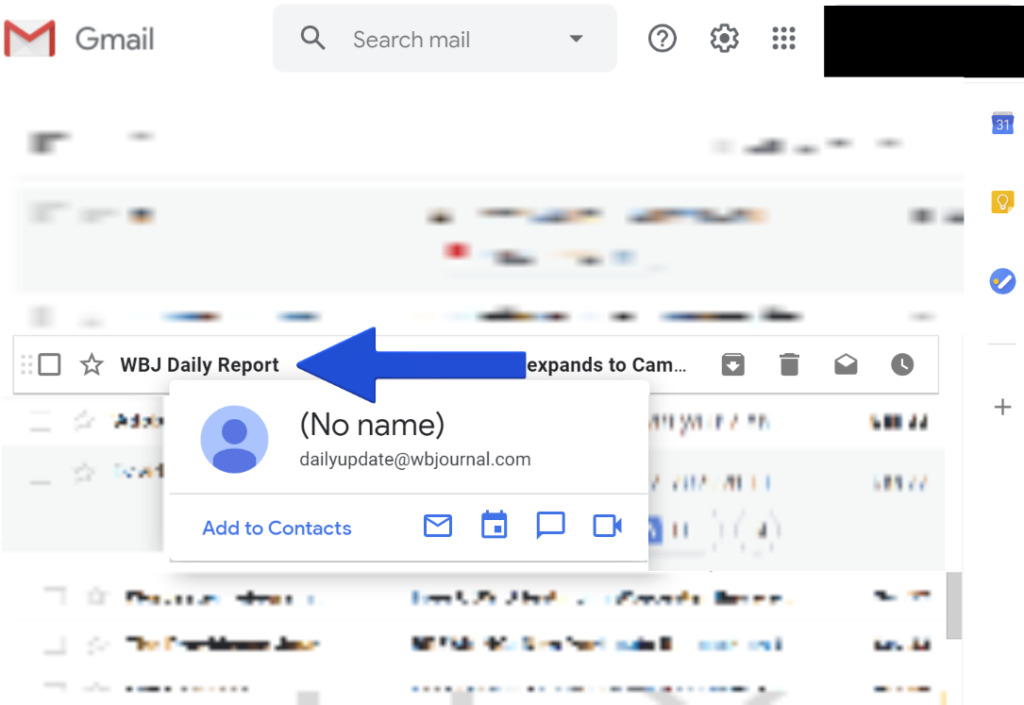
Tricky, but in both cases, the first email address is the one you want to open. So how can you tell? Luckily, most email services have an easy, built-in method for you to fully preview email address. The following image is what happens when you simply hold your mouse cursor over the sender’s name in Gmail. You will see from the email address in the image that this email is a legitimate email from the Worcester Business Journal.
Check the Subject Line
Is anything misspelled? Are traditional grammar rules ignored? Are strange characters used? These are all signs to look out for when it comes to email scams. If you see anything in the subject line that stands out as odd, check the email address, just to be safe.
Preview Any Links
One final way to safeguard yourself from email scams is to check every link before you click on it. Just like with email naming conventions, scammers set up fraudulent websites to mimic legitimate ones while using links that closely resemble that of a legitimate company or entity. See the examples below:
https://www.grenchef.com
Preview the links, closely. One is for the legitimate company Green Chef that came from an email. The other is a close copy that could lead to an identical-looking webpage.
Once again, the first choice is the correct link.
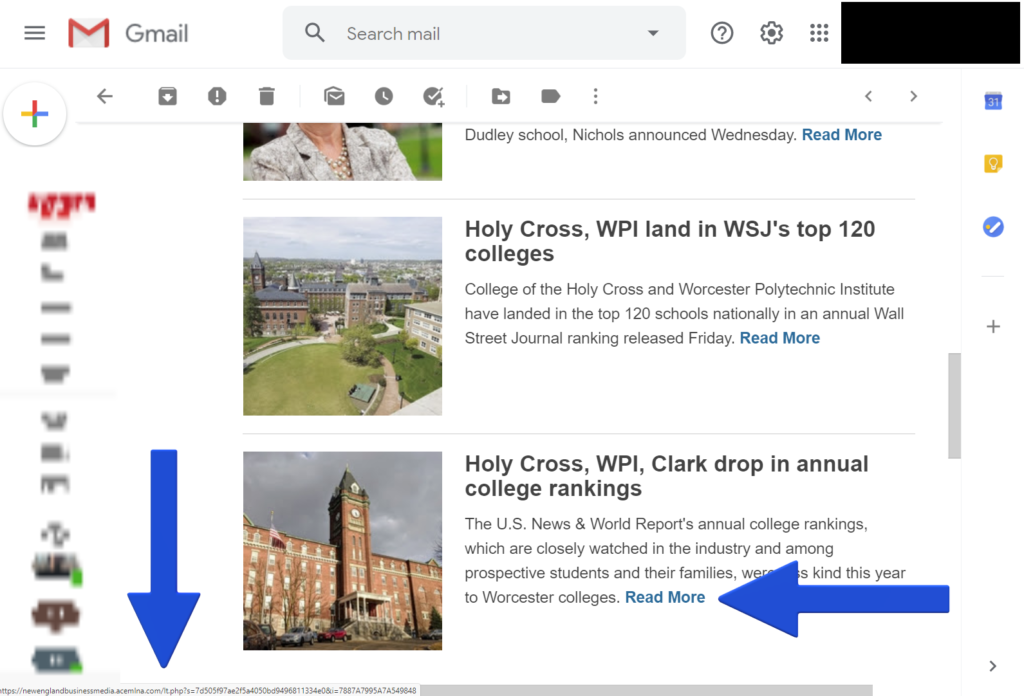
Like email addresses, most email services have a built in safeguard that allows you to preview links before clicking on it. Simply hold your mouse cursor over the link, and the web address will populate on the bottom left portion of the screen. The following visual is how this looks in Gmail.
If you take these three steps, you can safeguard yourself from email scams and safeguard your internet privacy. Arm yourself with the knowledge, and your internet world will remain secure for you to enjoy!